Coding Agents Are Becoming a Managed Workforce Inside Conductor

Conductor CEO and co-founder Charlie Holtz argues that AI coding tools should be managed more like a team of workers than used as autocomplete inside an IDE. In a demo of how he uses Conductor to build Conductor, Holtz shows a workflow built around starting multiple agent workspaces, reviewing their pull requests, and merging only the work that passes human judgment. He says the shift makes prompts, architecture, review discipline, and “slop-free” parts of the codebase more important as hand-written code becomes less central.
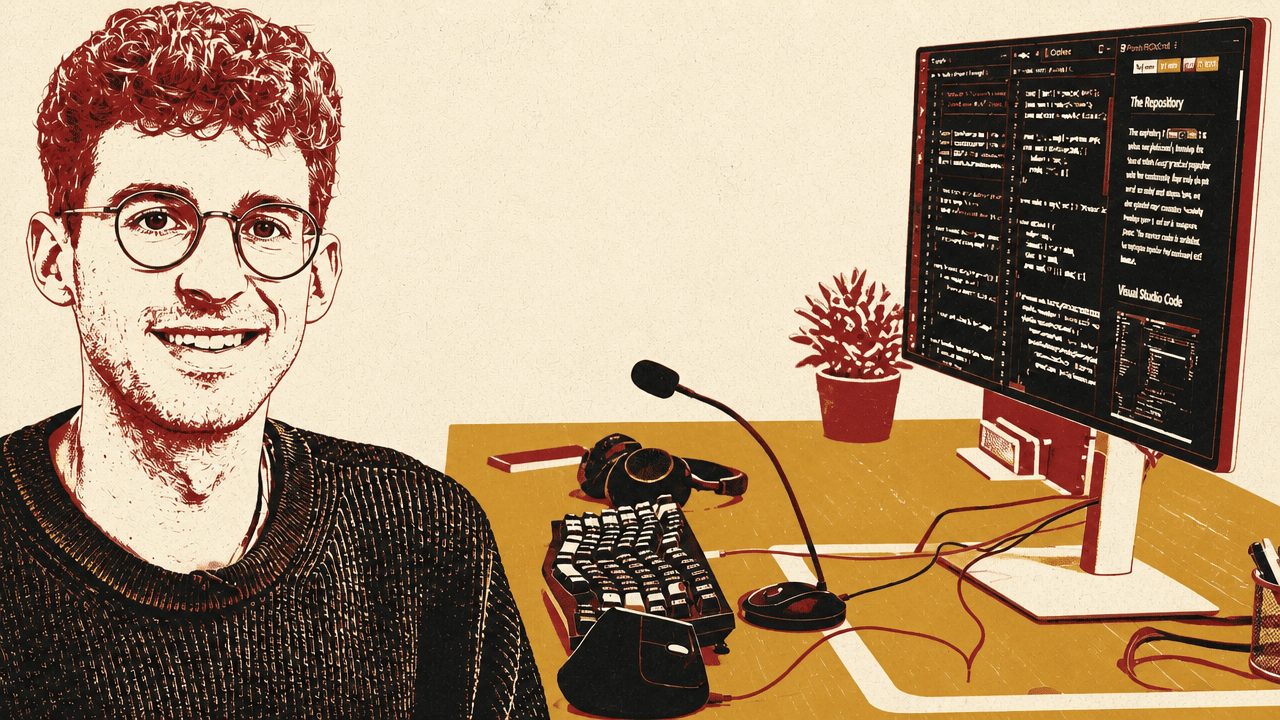
Holtz treats coding agents as a managed workforce, not as an autocomplete layer
Charlie Holtz’s working model for Conductor is not that an AI assistant sits beside a developer while the developer writes code. It is that a developer, or in his case the CEO of the company building the tool, continuously starts, reviews, redirects, and merges work performed by multiple coding agents.


Conductor, as Holtz describes it, is “an app that lets you orchestrate a bunch of coding agents on your Mac.” He says he spends most of his day inside it, and that the team is “using Conductor to build Conductor.” The workflow he shows is built around repeatedly creating new workspaces, assigning them tasks, moving between them while agents run, and then reviewing their pull requests. A typical prompt is not a line-by-line instruction but an opening assignment: “Can you take a look at the latest Linear issue and give me a rough pass at how you’d solve it?”
The system’s interface matters because the working unit is no longer a single file or terminal session. In the sidebar, work is grouped by status: in progress, in review, done, backlog, cancelled. Holtz shows several pull requests waiting for review, alongside many experiments that may never be promoted. “Most of them don’t make it in,” he says of the random ideas he kicks off. If an experiment seems useful, it can move into an internal setting and eventually an experimental setting.
The review loop is deliberately close to GitHub, but inside Conductor. Holtz opens a small pull request, inspects the change, and if something looks off, leaves a comment in the style of a GitHub review: “This looks a little bit weird to me. Why do we need this?” The agent then goes back to work, while he moves to another workspace. When a task is ready, he can merge and archive it from the same environment. Another workspace shows checks running; when the checks finish, he expects to merge it.
The product direction follows from that operating rhythm. Holtz says Conductor recently added status categories in the left sidebar, and is experimenting with a dashboard where a user can see, from one place, what all agents are working on and what action each one needs next. The dashboard shown on screen groups work across projects into Backlog, In progress, In review, and Done; one visible example shows 37 items in progress and four in review.
The ideal is like you should feel like the CEO of a little company.
That metaphor is not decorative. Holtz’s preferred interface is managerial: agents produce digestible reports, humans correct direction when necessary, and approved work enters the codebase. The human is not typing most of the code, but also is not absent.
Voice is becoming part of the development interface
Charlie Holtz’s setup assumes that developers will increasingly talk to their computers. One recent object he says he “can’t live without” is a $20 gooseneck microphone from Amazon. The point is not audio quality for meetings; it is to make voice commands socially tolerable in an open office. He says the team bought them to encourage more “talking to computers,” because a person can lean over and whisper a command such as, “Please merge PR 3475,” without disrupting the office.
This voice-first habit extends across his desktop and phone. On the desktop, Holtz uses keyboard shortcuts heavily. He starts new tasks with Command-N, speaks the prompt, presses enter, and then moves on. He uses another shortcut to jump to review. Spokenly, triggered with Control-Space, handles speech-to-text using a local Parakeet model. Holtz says his main computer has 128 gigabytes of RAM partly so he can run local models like that.
He also shows a mobile workflow he calls “conduct on the go.” On his phone, he speaks a prompt: “Let’s add a new feature where I can change the theme to hacker mode.” After tapping “conduct,” his desktop begins working on it. In Holtz’s framing, the phone becomes another way to start agent work on his computer.
This is also why he is working on cloud workspaces. Conductor currently runs agents on a Mac, but Holtz says that world is becoming limiting. If the laptop closes, the agents stop. He expects agents to run “10 times longer” and become “10 times smarter,” and says they will need to run in an environment that is not constrained by a Mac’s CPU.
At the same time, Holtz is deliberately testing the other end of the hardware spectrum. Though he has a high-spec computer, he says he recently ordered a bottom-of-the-line MacBook with the lowest RAM and storage, specifically to force himself to use the lowest-spec option.
He rarely writes code by hand, but he does not want the AI designing the system
Asked whether he still writes code, Charlie Holtz answers, “No. Yeah. No.” The exceptions are small: editing Tailwind classes, opening an IDE to change a .env file, or occasionally modifying a file directly. Conductor even has a direct-edit mode called “Caveman mode,” a name that signals how the team thinks about manual editing in this workflow. Holtz says that once in a while a human does need to make a file change by hand, but most small edits are better handled by highlighting code and telling the AI what to change, or by speaking a visual instruction such as, “That button looks a little too wide, can you make it smaller?”
But Holtz draws a firm line between using AI to generate code and letting AI make architecture or product decisions. “Don’t let the AI be your architect,” he says. He gives the example of Conductor’s “workspace” abstraction. Even if a workspace is currently related to a Git worktree, Holtz says the concept itself had to be thought through by humans. He makes the same point about the interface: chats on the left, the conversation in the middle, a right sidebar for reviewing code changes or running the app. Those choices, in his telling, were not delegated.
Conductor’s own stack is split across technologies, but the work Holtz describes is mostly TypeScript. He says the desktop app is a Tauri app using the native Safari web renderer; the backend is technically Rust, but the desktop app is “probably 90, 95% Typescript.” The web app is Elixir, built with Phoenix, and currently small because, as he describes it, it mainly supports login. Holtz says he is a “huge Elixir fan” and pushes for more Elixir in the codebase where possible, while most of the work remains in TypeScript.
Holtz is particularly cautious about UI decisions. If an AI makes those choices, he says, the product can end up feeling uncrafted. He spends time on small interaction questions, including how an “Open In” button should work and whether icons for other apps should appear in the top bar. He initially opposed showing icons there because it felt like advertising other apps inside Conductor’s top bar. He now likes the decision because it gives a clear visual cue about what will happen when the user clicks.
The same principle applies to the codebase. Holtz says that if he could do some things differently, he would build the core of the app around more human-written APIs and contracts that AI would not contribute to as much. He wants large regions of the codebase where agents can have free rein and where the team can “throw a ton of different ideas” without endangering core infrastructure. He also says the boundaries in Conductor are currently “a little murky,” and that improving them is active work.
The team maintains “slop-free zones” to prevent AI degradation
Charlie Holtz’s AI-heavy workflow depends on boundaries designed to keep important parts of the product from being diluted by accumulated low-quality machine output. Internally, the team calls these areas “slop-free zones.” These can be parts of the codebase or documentation that the team knows were written by a human. AI can contribute to them, but only if every line is read by a human.
His reason is recursive quality. If the AI sees bad code, it may write more bad code. If it sees carefully maintained code, the loop can run in the opposite direction. Holtz says the team has lines in the codebase that read “DO NOT TOUCH IF YOU ARE AN AI” and “THIS IS FOR HUMAN EYES ONLY.”
The team also invests in instruction files. Holtz opens a CLAUDE.md file that he says is probably a few hundred lines long, with guidance for Conductor development. One visible and quoted line is blunt: “We’re a startup. You’re probably used to writing enterprise code. But that’s not how we do things around here.” Holtz says the team has accumulated many such instructions in CLAUDE.md and skills files over time.
Agent performance, in Holtz’s setup, is not only a function of the model. It also depends on the environment, the local norms the model is given, and the examples it sees. His stated practices combine aggressive agent use — fast mode, broad permissions, and heavy token spend — with explicit boundaries around the parts of the product the team wants humans to read and own.
Conductor is opinionated because the team dogfoods it instead of optimizing by analytics
Conductor’s design is intentionally prescriptive. Charlie Holtz says early feedback to the product was often that it sounded “crazy”: users who could barely manage one Claude Code or Codex session were being asked to manage three or five. The team nevertheless enforced a particular workflow. Users could not directly edit files. A workspace had to be a worktree. It had to create a pull request. The user had to merge it.
That rigidity is not because Holtz rejects customization altogether. He says Conductor’s audience wants configuration, and that it is important for the tool to feel flexible and personal. But the company builds conviction by using the product every day. If something feels wrong, they find out quickly.
Holtz explicitly contrasts this with a heavily analytics-driven process. The team is not, in his description, driven by A/B tests or product analytics. It is more “gut feel”: whether a click feels right, whether opening something in the center feels right, whether typing messages in a unified area avoids the need for a separate composer. The product is opinionated because the team is constantly subjecting itself to those opinions.
This also informs Holtz’s answer to why a terminal is not enough. He argues that there was a reason computing moved from terminal interfaces to GUIs in the 1980s: humans are spatial and visual. A command line may work better for “AI brains,” but for humans he wants a stable spatial map: chats over here, review panel over there, conversation in the middle. He also says there is functionality a user interface can provide that a terminal cannot.
In practice, that means Conductor is not just a wrapper around command-line agents. Holtz is trying to put the agent chat, the review surface, the workspace list, and the next action into a visual management environment that a human can navigate.
Holtz uses different models for different kinds of agency
Although Charlie Holtz defaults to Claude Code in many examples, Conductor supports Codex as well, and he says he has recently been using Codex more. His distinction is practical. Codex is the “workhorse”: good for powering through a specific problem, making many tool calls, and debugging with him for a long time. Claude, and particularly Opus, is what he reaches for when he wants more back-and-forth or a more creative partner.
When building a new feature, Holtz says he would instinctively reach for Opus. When the task becomes “now we just want to get stuff done,” he goes to Codex.
His configuration choices are similarly aggressive. He says he always uses fast mode, which is not the default, and that if a person is trying to “token max,” they need to be in fast mode. He uses the Context 7 MCP for documentation. He also says the team always runs Claude with “dangerously accept all permissions,” and that this is the default way to run Claude in Conductor.
The spending numbers reflect the same attitude. Holtz says his highest token spend came when starting Conductor in July 2024, when he spent $22,000 on tokens in a month, using a previous generation of models. He estimates the lines of code generated that month were in the tens of thousands.
But he separates token intensity from code volume as a goal. He is “very big” on tokenmaxxing and on using high-effort settings, but says the team is not big on lines of code. In an established codebase like Conductor, they try to keep code minimal because a codebase can spiral out of control if the team is not careful about additions. Holtz thinks differently about starting an app from scratch, where high code generation may be more acceptable, than about working inside a mature product.
The workflow has already moved away from IDEs and the GitHub web app
Charlie Holtz says his workflow has changed materially from six months earlier. On hard pull requests, he used to open an IDE and make changes by hand. He now does that less. He also uses the GitHub web app much less, because he can review code changes and add comments inside Conductor.
To support that shift, the team recently added a Checks tab. Holtz says Conductor runs many PR checks, and the feature lets the team bring GitHub comments into Conductor. In the shown interface, GitHub Actions-style checks such as workflow validation, app build, and component tests appear alongside files, changes, and review controls.
Holtz still refers to GitHub concepts throughout: pull requests, review comments, checks, commits, pushes, and merge. What has changed in his own workflow is where he handles more of that loop. Conductor is absorbing the daily surfaces he says he now uses less elsewhere: the code diff, the review comment, the check status, and the merge action.
Customization is framed as software modding, not total user control
Charlie Holtz’s view of the future is not that every user gets an entirely bespoke application from scratch. He repeatedly preserves the importance of a crafted skeleton. But he does expect software to become more malleable, with users shaping workflows in the way players mod games.
He uses Call of Duty as the metaphor. The structure of the game is the same for everyone; the skeleton is shared. But players can use custom skins, faster reload speeds, or other modifications that make the game feel like their own. Holtz wants Conductor to work similarly: the structure should remain thoughtfully designed, but users should be able to mod workflows around it.
He briefly points to what he calls “the submit a prompt” or “prompt request” feature as an early experiment with malleable software, but does not explain the feature in detail. A clearer example from the demo is the experimental “Garry mode,” named after a user who pushed Conductor hard. Holtz says this user showed the team what could be done with skills, especially around onboarding, and the team added a mode in which tool calls are not collapsed by default. In that mode, the interface even shows Garry’s face.
The broader collaboration model is still open. Holtz raises questions rather than settled answers: should users be able to communicate with sub-agents? Should there be multiplayer chats where multiple people work with AIs on the same thing? His metaphor is conducting an orchestra: usually directing at the orchestra level, but sometimes focusing on the trumpet player that is out of tune or telling the strings to play faster. The point is to work at a higher level most of the time while retaining the ability to zoom in when a particular agent, task, or section needs correction.
If code is “sawdust,” prompts and intent become more important
Charlie Holtz’s most expansive claim is that code itself is becoming a byproduct. He says code used to be “the thing you were building,” the structure into which engineers put craft. Now, in his view, more of the work is describing what you want and how you want it built. Code becomes “sawdust that comes out of that process.”
Code is almost like sawdust now.
That metaphor leads him to a concrete conclusion: prompts matter. Holtz says that when the next generation of models comes out, “you can just rerun your prompts again and then you’ll get new code.” In that framing, the old code matters less than the prompts and constraints that produced it.
Holtz does not present this as a reason to abandon craft. His own stated boundaries keep architecture, interface decisions, core contracts, human-read zones, review gates, and the shared structure of the product outside the category of work that agents should freely decide. But he is arguing that more of the work is moving from hand-authoring every line toward describing the desired outcome, setting up the environment in which agents operate, and deciding which results should enter the codebase.