Codex Positions Its Data Plugin as an End-to-End Analytics Workspace
OpenAI’s Codex data science demo presents the product as an analytics workspace that can take a business question, use Databricks data, and produce a decision-ready report for leadership. The case made in the demo is that Codex can act as an agentic data analyst configured to a team’s tools and templates: generating a cancellation-spike analysis, exposing the source query behind a chart, allowing live edits, and exporting the finished work as a Google Slides executive readout.
Codex is being positioned as the analytics workspace, not just the query assistant
Codex is shown taking a business question through a full analytics workflow: use existing Databricks data, generate a business-facing report, expose the source query behind part of that report, allow edits in place, and export the result into a format leadership already uses.
The example question is specific. In the Codex interface, the user prompts: “Using our Databricks data, create an interactive report diagnosing the recent spike in Wanderbricks booking cancellations and recommend what we should do next.” The requested output is not a single chart or SQL answer. It is an interactive diagnostic report with recommendations.
The data analytics plugin is described as having “skills and data sources” pointed at the user’s own workflows and tools. That is the product claim underneath the example: Codex is meant to act as an “agentic data analyst” configured around an organization’s business problems, rather than as a generic chat surface detached from the work.
Within a few minutes, Codex is shown gathering relevant context across multiple systems and producing a report titled “Wanderbricks Cancellation Spike.” The generated executive summary states that the spike is “real at the monthly level”: July cancellations reached 28.8%, compared with 20.4% in June and roughly 19–21% from January through June.
Those figures anchor the report’s diagnosis. The interface presents the result as an analysis artifact with an executive summary, bullet-point findings, and visualizations. The visible summary identifies July as the outlier month and uses June plus the January-to-June range as the comparison baseline.
The report remains editable while it is being shaped for business users
The report is not treated as a static answer. Codex is shown as a workspace where the user can continue shaping the artifact after the initial analysis is generated. The narrator points to “detailed breakdowns,” charts, and analysis that would normally take hours to build, then edits the report directly inside the interface.
One visible example is a chart labeled “July daily cancellation rate.” The user changes the chart type through a dropdown, selecting “Bar.” The stated reason is to make the report “more business user friendly.” In the demo, that presentation change happens without leaving Codex or rebuilding the report in a separate tool.
Codex becomes the place where we can make live edits and changes on the fly while we're building out this report for our leadership.
The live-editing claim is aimed at the handoff from analyst to business audience. The artifact contains the cancellation-rate diagnosis, charts, and explanatory material, but it can also be adjusted for readability and audience fit before it is exported.
The data-source panel makes the chart’s source query visible
Codex also exposes the data path behind at least one visualization. For the “July daily cancellation rate” chart, the user opens a “Data source” panel that shows metadata and a source query. The visible SQL begins:
SELECT CAST(created_at AS DATE) AS day, COUNT(*) AS bookings
The narrator describes this as transparency into the workflow: a way to see how Codex created the report and to decide whether the work should be run in the user’s systems. The mechanism shown is concrete and limited: a user can inspect the query associated with a chart and see data-source context behind that reported output.
That inspectability matters because the artifact is not only polished prose and charts. It is tied back, at least in this shown instance, to the query used for the chart. The visible SQL fragment shows date-casting of created_at and a booking count. In the demonstrated interface, the data source panel sits inside the same workspace as the report itself, so the user can move between the business explanation, the visualization, and the source query without leaving Codex.
The endpoint is a leadership artifact in the organization’s own template
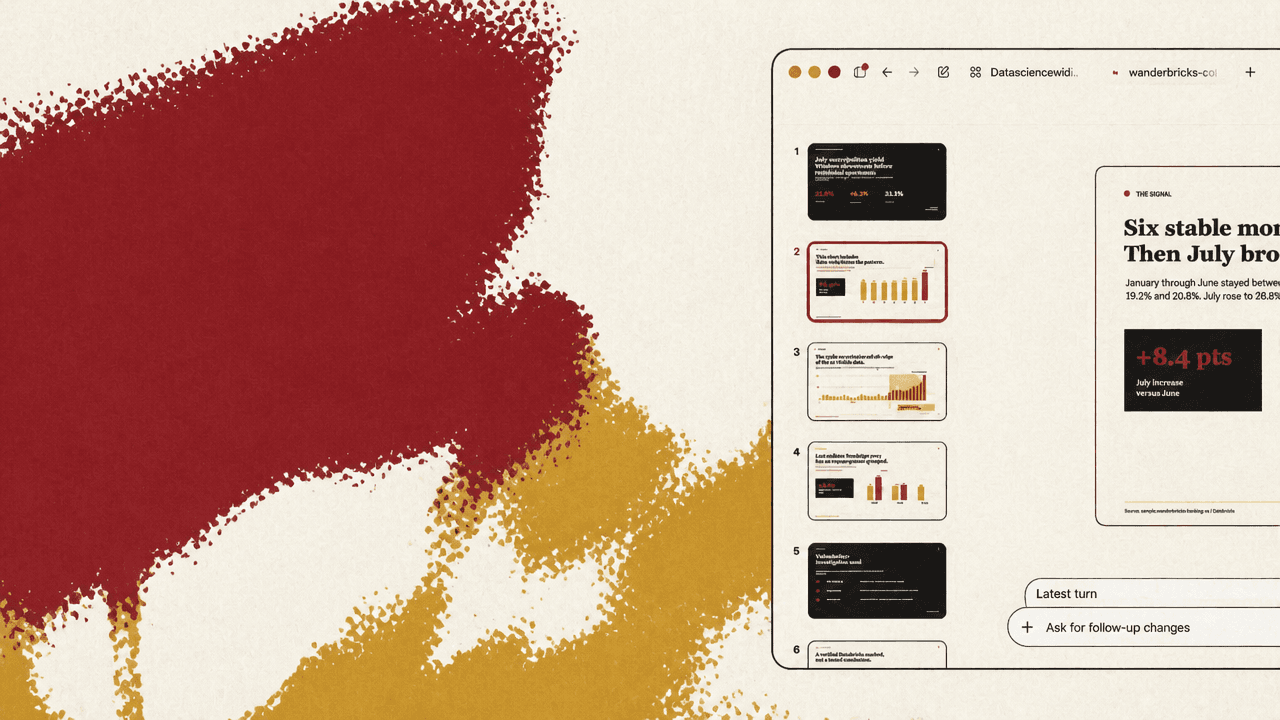
The final step is export. Codex shows an export menu with multiple output paths: publish a hosted link, create an HTML file, create a PDF, create a Google Doc, and create Google Slides. The user selects Google Slides because the goal is to send leadership a report in the organization’s “exact templates.”
The generated slide presentation appears in the side panel as a branded executive readout. The visible slide text reads: “WANDERBRICKS / EXECUTIVE READOUT” and “July cancellations spiked. Validate the window before changing operations.” The cancellation analysis and charts have been carried from the interactive report into a presentation format meant for business end users.
The narrator emphasizes that Codex can work with “specific workflows” and “specific templates” so business users receive reports in the formats they are used to. In the Wanderbricks example, the same Codex workspace initiates the Databricks-backed analysis, generates the cancellation-spike report, supports edits to the visualization, exposes the source query behind one chart, and exports the result as a Google Slides executive readout. The final line broadens that into the intended positioning: Codex becomes “one place” for data analytics needs.