MCP Apps Turn Chat Hosts Into Application Distribution Channels


Liad Yosef and Ido Salomon argue that MCP Apps turn chat products such as ChatGPT, Claude, VS Code, Cursor and Copilot into application distribution surfaces, not just places for text responses. Their case is that tools can return branded, interactive UI resources over MCP, while user actions flow back through the host so the model retains context and control. For builders, they frame this as a shift from monolithic web destinations to portable app components that can run across compliant agent hosts.
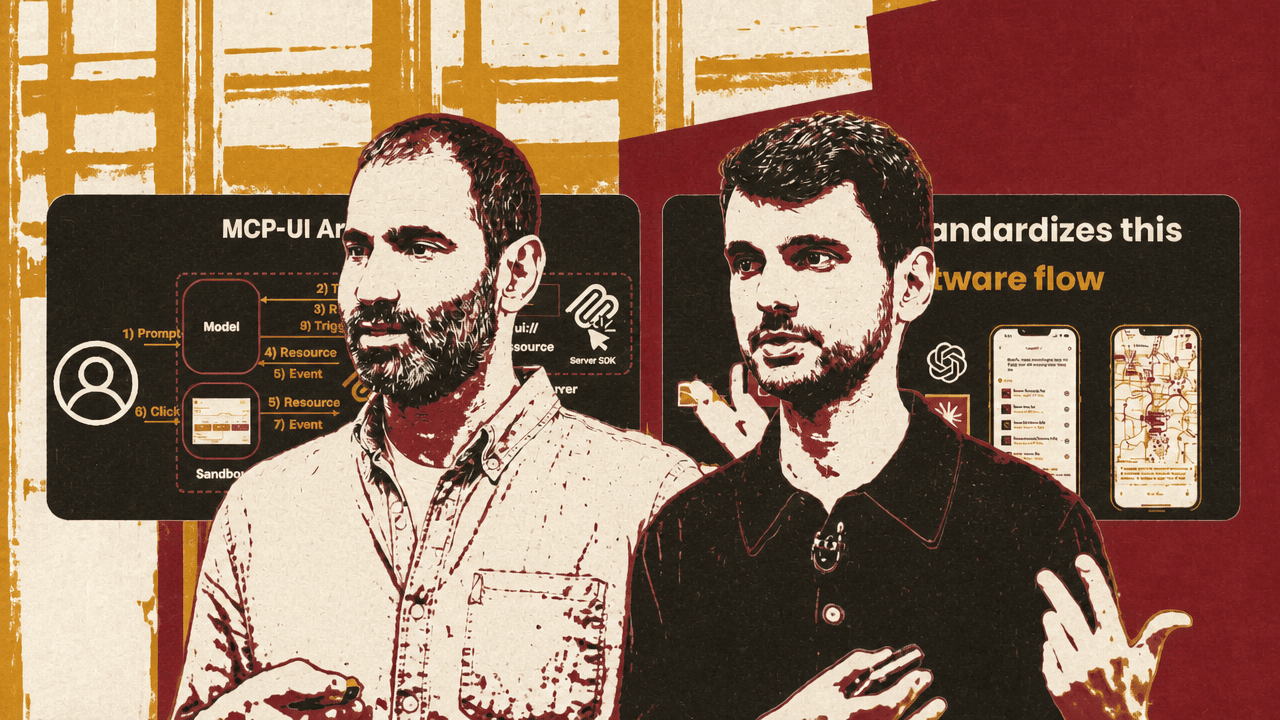
Chat hosts become application distribution surfaces
MCP Apps turn chat hosts into portable application surfaces: tools can return branded, interactive UI over MCP, and hosts such as ChatGPT, Claude, VS Code, Cursor, Copilot, and other compatible environments can render those experiences inside the conversation.
That was the central claim from Ido Salomon and Liad Yosef. Salomon introduced himself as the creator of MCP-UI, co-creator and maintainer of MCP Apps, and creator of AgentCraft. Yosef said he works with Salomon on MCP-UI, co-created the MCP Apps spec, and co-founded Era Labs, a company focused on human-agentic interfaces.




Salomon opened by saying the talk had been assembled that morning and “might already be out of date.” The point was not only that the specification is moving quickly. It was that the interface layer around agentic tools is changing quickly enough that chat is no longer only a place for text responses.
Yosef framed the original problem as a UX and identity failure. MCP tools could send information to a chat agent, but the user often received a wall of prose or markdown. That was hard to use, and it was unattractive to companies. He said one blocker for companies sending data into ChatGPT was that they did not want to be flattened into anonymous text, with no clear distinction between information coming from Shopify, Booking, Expedia, or another provider.
The alternative is for each tool or company to send the relevant slice of its own interface into the chat. A Hugging Face widget, Shopify surface, Monday.com component, Booking map, or PostHog chart can appear where the user needs it. The UI can be presentational, but the speakers repeatedly emphasized that it can also be interactive.
Salomon tied that idea back to MCP-UI, which he released in May of the previous year. The core concept was to find a generic way to pass UI over MCP and standardize communication between the UI and the host. His motivation was practical: builders should not have to discard what they know about UI and UX to enter an agent-first environment. The goal was to preserve branding, identity, and interaction patterns while adapting them to assistants.
A few months before the talk, Salomon said MCP-UI partnered with Anthropic and OpenAI to move the approach into the MCP standard as the first official extension, called MCP Apps. The speakers presented that as the transition from an early protocol and SDK ecosystem into a broader standard for interactive UI in chat clients.
The technical shift is from text to resources
Ido Salomon described the basic flow by contrasting the “old world” with MCP Apps. In the old flow, a user asks a host for something — for example, “Please create the best playlist ever.” The host sends a tool call to an MCP server. The server returns text. The model then renders that text in the chat.
With MCP Apps, the server can instead return a resource. In Salomon’s example, that resource is HTML with a MIME type using the MCP app profile. Because the host supports MCP Apps, it can take the resource and transform it into an interactive application inside the conversation.
That resource model matters because the UI is not just decoration. Liad Yosef used the example of favoriting a Spotify song. If the embedded UI talked directly to Spotify’s backend, the host might not know what the user did. Later, if the user asked Claude which song they favorited, Claude would not have the interaction in context.
MCP Apps standardizes message passing so that the UI sends an action to the host on user interaction. The host receives the action — for example, a tool call such as adding a favorite song — and decides what to do. It may call the server tool, return a confirmation, trigger another model step, fetch another resource, or take another action. Yosef emphasized that control remains with the host and “everything stays in context.”
Salomon then walked through a concrete PostHog example in Claude. In the text-only version, the user asked for insights on a six-step funnel and received a dense textual response with markdown tables and counts. Salomon said it was accurate, but it forced the user to read the whole response to understand what was happening. With MCP Apps, the user could ask Claude to “show me,” and Claude rendered a PostHog funnel visualization directly in the chat.
The visualized funnel showed six e-commerce steps: page viewed, product viewed, added to cart, checkout started, payment submitted, and order completed. The final conversion was 5.2%, or 39 of 745 users. Salomon stressed that the UI was created by PostHog: PostHog controlled the identity and experience, and the component resembled what a user would see on PostHog’s own website.
The same example also showed generative UI layered on top of MCP Apps. Salomon said that if the user did not know what a funnel was, Claude could generate a visual explanation rather than a long text answer. Yosef then showed that the generated visual was interactive: clicking a specific node in the funnel caused Claude to focus a follow-up response on that step.
The architecture Salomon described has several stages. The user prompts the host. The host’s model calls an MCP server. Instead of returning only text, the tool points to a resource. The host receives the resource and renders it, in Salomon’s example, through a React component that accepts the MCP resource and an action callback. The UI is rendered inside a sandbox for security. When the user clicks or otherwise interacts, events flow from the sandbox back through the host and model, which can trigger additional calls or messages.
| Stage | What happens |
|---|---|
| Prompt | The user asks the host for an outcome, such as funnel data or a playlist. |
| Tool call | The host’s model calls an MCP server. |
| Resource | The server returns or points to an MCP App resource, such as HTML with the MCP app profile. |
| Render | The host renders the resource inside a sandboxed UI surface. |
| Interaction | User actions are sent back through the host, where the model can trigger follow-up calls or messages. |
In Salomon’s words, that completes an “end-to-end bidirectional flow”: the app can be returned to the host, rendered to the user, interacted with, and then brought back into the model’s context.
The host, not the app, owns the journey
Liad Yosef argued that the architecture changes more than implementation details. It changes how software is distributed and how users move through applications.
In the web model he described, users organize tasks through websites, tabs, dashboards, and product-specific navigation. Planning an anniversary might involve a calendar tab, a shopping site, a booking site, a map, and multiple interfaces whose full dashboards are mostly irrelevant to the user’s immediate intent. If a user has a personal assistant, Yosef said, they should not need to translate intent into each company’s dashboard. Applications can instead be decomposed into “atoms” that the assistant assembles.
His example began with a proactive assistant noticing an anniversary on the user’s calendar. Rather than Google simply sending calendar data, Google could send a chunk of Google Calendar UI. Yosef called this a “win-win-win”: Google keeps its identity, the user recognizes the familiar interface, and the host does not need to generate that UI itself.
He extended the example to Amazon and Booking. Amazon should not be reduced to a product database; it can send an Amazon shopping chunk. Booking can provide a venue UI and a map. The assistant can use knowledge of the user — for example, a preference for nature over city locations — while Booking contributes what it knows how to do: book venues. Yosef described this as a division of roles: the assistant knows the user, while the domain company knows the domain.
Ido Salomon sharpened the same point into a new interaction rule. In this MCP Apps flow, applications no longer own the user journey in the way they do on their own platforms. If the user clicks something in a Booking component, the interaction does not simply go to Booking’s backend. It goes to the host.
That does not mean every interaction must be fully controlled by the host. Salomon presented action types on a spectrum, based on how much control remains with the UI versus how much is delegated to the host.
| Action type | Control model | Example described |
|---|---|---|
| notify | The UI keeps the most control and tells the host that something happened. | A cart quantity changes and the UI notifies the host. |
| tool | The UI asks the host to call a tool. | A user intent is represented as a structured tool call. |
| prompt | The UI gives the host the most control by sending an instruction for the model to handle. | The UI tells the host to run a prompt and decide what happens. |
Yosef’s more provocative claim was that this could standardize a new software flow. He suggested that in two years, browsers and websites may not exist “as we know them”; instead, a personal assistant may accept small chunks of UI that replace much of the user’s web journey. He framed 2026 as the year MCP Apps would be standardized as a global standard for UI.
Adoption evidence comes in three categories
Liad Yosef separated the ecosystem story into early adopters, host support, and community activity.
The early-adopter examples were tied to MCP-UI before MCP Apps became standardized. Yosef named Shopify and Hugging Face, saying Shopify was already sending MCP-UI chunks across millions of online stores and Hugging Face Spaces were MCP-UI widgets. The early-adopter slide also showed TheFork, monday.com, ElevenLabs, Postman, Shopify, and Robot.
The host-support claims were broader and more recent. Yosef said VS Code, Cursor, Copilot, GitHub, and ChatGPT support MCP Apps, and that ChatGPT recommends MCP Apps as the way to build ChatGPT apps. He also shouted out Postman and Goose, and singled out Claude as the first to release Claude Apps with MCP Apps support. The accompanying visual showed ecosystem announcements and screenshots including Cursor, GitHub, ChatGPT, and Postman.
The community and standards activity was a third kind of evidence. Ido Salomon said there is an official MCP Apps repository with Anthropic and OpenAI, along with a public workgroup that meets every three weeks to push the standard forward. He described the workgroup as part of the reason MCP Apps is becoming, in his words, “the global standard for UI inside chat apps.”
Yosef also cited people building plugins, workshops, terminal support, and companies formed around helping businesses build MCP Apps. He mentioned Pi announcing MCP Apps support, which he framed as notable because it brings UI into a terminal experience.
Salomon said the specification is still evolving and that many recent changes came from community feedback and workgroup activity. Recent and ongoing work includes sandbox capabilities, terminology, theming, mobile SDKs, UI termination requests, React renderer support, tools for apps, unique origins for views, skills and docs, inline script limitations, app sampling, model and view state, context updates, and app portability.
For implementation, Salomon pointed developers to the official SDK, @modelcontextprotocol/ext-apps, saying it stays compliant with the specification because both are updated together. He also said the SDK includes skills so a coding agent can generate much of the app work.
The roadmap extends from reusable views to model-operated apps
Liad Yosef said one next step is reusable views. Today, for simplicity, each render creates a new app instance. That can be a problem for heavy applications. He cited Autodesk as an example where repeatedly rendering a complex app could take a long time and degrade the experience. The proposed direction is to reference the same view and push data into it, rather than continually reloading it.
Ido Salomon described another planned direction: app tools. Current MCP Apps interactions mostly focus on the user interacting with the app, which sends an action back to the model through the host. Salomon asked what happens when the model should interact with the view: clicking buttons, filling forms, or otherwise operating inside the UI. He said the group is working on a standardized way for apps to expose tools that the model can call, similar to WebMCP-style behavior, so the app becomes introspectable and accessible to the model without DOM parsing. The referenced pull request for app tool registration was still open at the time of the talk.
Yosef also addressed a recurring question about generative UI. His answer was that MCP Apps is agnostic to how the UI is generated. It can support predefined UI, declarative UI, and fully generative UI.
| UI generation mode | How Yosef described it | Where it fits |
|---|---|---|
| Predefined UI | The classic MCP Apps model: a company such as Airbnb builds its own UI and sends it to Claude or ChatGPT. | Good for most cases where the provider wants identity and control. |
| Declarative UI | The app declares the structure, while components are rendered by the host. | A middle ground for hosts that want consistent look and feel across providers. |
| Fully generative UI | The model generates the UI on the fly. | Useful for first-party generated interfaces, including Claude’s generative UI feature. |
In the predefined model, a provider sends a black-box component that preserves its brand and UX. In the declarative model, the host and the app share responsibility: the app declares structure, while the host renders components and can preserve a consistent visual system. Yosef used the example of Claude perhaps not wanting Booking, Airbnb, and Expedia visual styles to appear one after another in the same chat flow.
At the fully generative end, Yosef pointed to a recent Anthropic release where the model generates UI “out of thin air.” He said that feature uses MCP Apps underneath: a generative UI is streamed into an MCP App, and MCP Apps closes the interaction loop. The same standard, in his view, can support third-party UI that is opaque to the host and first-party UI generated by the host.
Salomon added that the MCP Apps effort is also working on interoperability with other UI protocols, including A2UI, AG-UI, and WebMCP, with the goal of a unified standard for UI in chat apps.
The distribution argument is the business case
Ido Salomon argued that MCP Apps is not merely a protocol; it is a new way to distribute applications. He cited Sam Altman saying in October that ChatGPT had 800 million weekly users, described that as 10% of the world population, and said the internet took 13 years to reach that number. He then added that the number was now a billion, and that the distribution surface also includes Claude and VS Code.
His comparison was to the Apple App Store at launch: the potential audience for chat-hosted applications, he said, is at least 160 times the number of users the iPhone had when the App Store launched.
For builders, the speakers reduced the getting-started path to two roles.
If you are building a server or application, Salomon and Liad Yosef pointed to the official MCP Apps site and the ext-apps repository. The installation paths they described included a Claude Code plugin and the Vercel Skills CLI, with commands for adding modelcontextprotocol/ext-apps.
If you are building a host application, they recommended the MCP-UI client SDK. Yosef said a host can take the SDK’s React component, use it to support MCP Apps out of the box, and thereby receive apps from providers such as Booking and others. Salomon said the SDK is compliant with the spec and is intended as the recommended client path for hosts.
They also invited participation in the specification and community process. Salomon pointed to the official MCP Apps repo for issues, pull requests, and discussion; the MCP Apps committee Discord for surveys and host/community decisions; and a broader community Discord where server builders, host companies, and users exchange troubleshooting, feature requests, and examples.
Yosef closed by acknowledging that some of the framing sounded threatening: “the web is dying,” websites becoming less meaningful, and monolithic applications losing control over the user journey. He asked builders to treat that not as a threat, but as an opportunity to rethink the core user experience of their apps. Instead of imagining an app as a single destination people visit, he urged them to imagine it as part of a new web of UI chunks that can communicate through a smart model in between.
His portability claim was direct: “You can write your app once and it will run everywhere.”
The final claim was deliberately near-term rather than science fiction. Yosef said “we’re not yet at Jarvis,” but that MCP generally, and MCP Apps in particular, can already bring experiences that were impossible a few months earlier to every host, including a builder’s own.