OpenAI Launches ChatGPT Work to Execute Tasks Across Workplace Apps
OpenAI is introducing ChatGPT Work, an agent inside ChatGPT that it says can turn broad workplace goals into finished business materials across apps, files, and formats. The company frames the product, powered by Codex and GPT-5.6, as a move beyond question-answering into execution: using selected company context, producing documents, decks, analyses, sites, and reports, revising them through natural-language instructions, and following up as feedback arrives.
ChatGPT Work is OpenAI’s bid to turn ChatGPT into an execution layer
OpenAI introduces ChatGPT Work as a new agent inside ChatGPT for taking a broad work goal and turning it into finished business materials. The core claim is not faster answers. It is end-to-end execution across apps, files, and formats: the user supplies an objective, ChatGPT Work uses selected context, creates intermediate outputs, revises them, and keeps the work moving while the user remains in control.
The example prompt is deliberately broad: “Help me build a go-to-market deck for a new product line covering materials, financial projections, and marketing.” From that single request, the workflow branches into supplier sourcing, risk analysis, product imagery, a product detail page, a leadership deck, chart edits, Slack feedback monitoring, and a billboard mockup.
OpenAI describes ChatGPT Work as powered by Codex and GPT-5.6. In the launch description, GPT-5.6 is credited with reasoning through complex tasks and creating materials that match a user’s templates, reference files, and preferred style. The product is framed as available across web, mobile, and desktop rather than as a feature confined to one surface.
Availability is part of the launch claim. ChatGPT Work starts rolling out on web and mobile for Pro, Enterprise, and Edu users, with Plus and Business expansion over the next few days. OpenAI also says Chat, Work, and Codex are available to all desktop users, including Free users, in the updated ChatGPT desktop app for Mac and Windows. Existing Codex app users are told that updating their app will turn it into the new ChatGPT desktop app.
The first capability is using company context instead of starting from a blank prompt
ChatGPT Work is shown connecting to workplace systems the user already uses. The visible app sequence includes Gmail, Slack, Excel, and Notion, paired with task descriptions: searching for suppliers, analyzing supplier risk, checking scorecards, and reading project notes.
That context becomes the basis for the supplier-sourcing work. In the desktop app, a completed task titled “Sol lamp material suppliers” says ChatGPT Work translated a sketch into component requirements: an opal-glass globe, a durable premium-finish 3D-printed body, a weighted base, and a rear-exit power cable. It then cross-referenced supplier history, W13–W22 readiness reports, budget, and project notes.
The displayed output is an attached spreadsheet named “Sol-Lamp-Material-Suppliers.xlsx.” The progress checklist includes reviewing reports and constraints, building a shortlisted supplier workbook, verifying the workbook, and attaching the final workbook. The interface says the task “Worked for 2m 30s.”
The supplier example carries the context claim better than the app icons alone. ChatGPT Work is not merely shown opening a spreadsheet or summarizing notes. It is shown converting a product sketch into requirements, comparing those requirements against internal reports and constraints, and producing a workbook for review.
The second capability is producing the artifacts around a launch
The Sol lamp workflow turns from sourcing into commercial materials. The user asks: “Now create a few lifestyle images and mock them up on our product detail page.” The output includes three lifestyle images of a curvy, tubular lamp with spherical light bulbs in different room settings.
The product page is for the “SOL S-Curve Lamp,” priced at $149. Its copy describes “a playful, sculptural table lamp that functions as both decor and illumination,” with a soft-touch, 3D-printed body, a bold silhouette, and an opal glass sphere that emits a warm ambient glow. The visible attributes list the color as sky blue, the bulb as included, the material as 3D-printed resin, and the dimensions as 14 inches high by 8 inches wide by 6 inches deep.
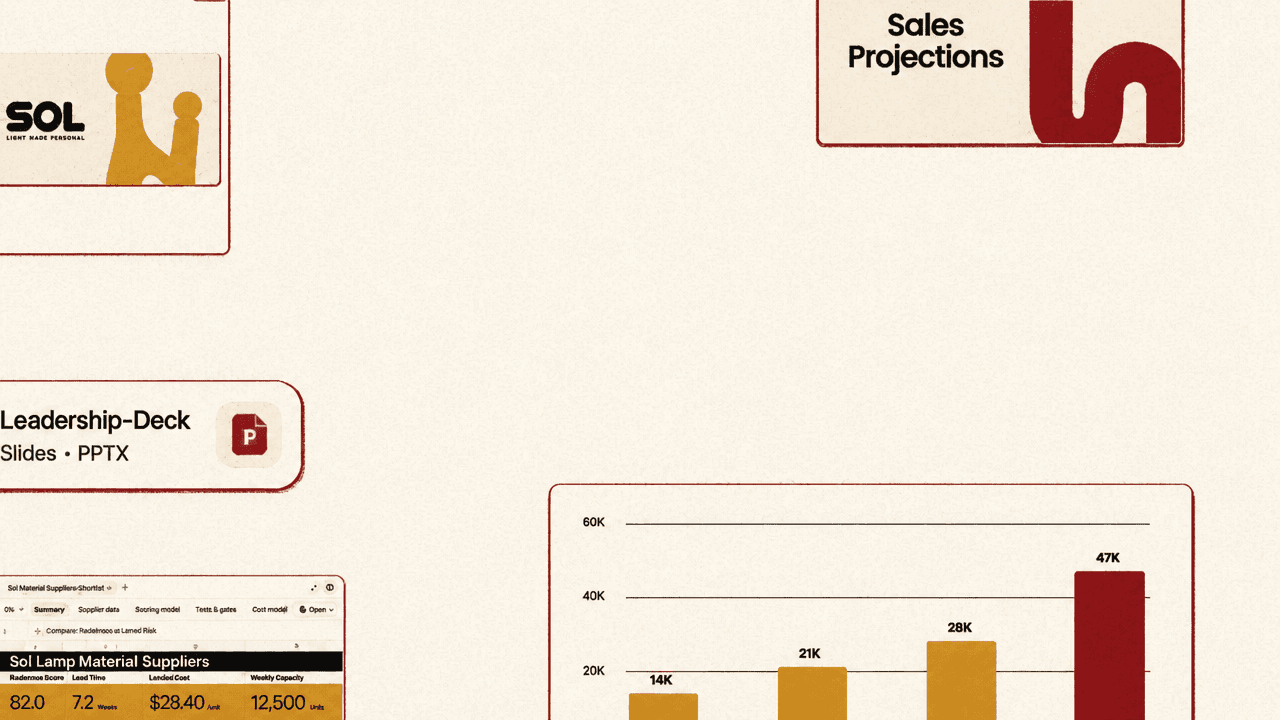
Those outputs are then repackaged for leadership. The user asks: “Great, now let’s turn all of this into a leadership deck using our brand template.” The generated PowerPoint appears in grid view under the title “SOL — LIGHT MADE PERSONAL,” with sections including “Company Overview,” “Sales Projections,” “Supplier Materials,” and “3D Printed With Purpose.”
OpenAI’s launch description says ChatGPT Work can create polished documents, decks, analyses, sites, and reports. In the Sol lamp example, those categories are tied together inside one product-launch chain: a supplier workbook, lifestyle imagery, product-page copy and layout, and a branded executive presentation.
The editing model is conversational, but the target is a structured work product
ChatGPT Work is also shown revising generated materials through natural-language direction. A “Sales Projections” slide contains a launch forecast for unit sales across wholesale and retail. A floating prompt instructs the system: “Use a bar chart to better emphasize the Q4 sales jump, and explain the growth story in bullets and the slide title.”
The visible slide includes two business metrics: blended gross margin at 52% and an end-of-year target of 110K.
| Visible metric | Value | Context |
|---|---|---|
| Blended gross margin | 52% | Shown on the Sales Projections slide |
| EOY target | 110K | Shown on the Sales Projections slide |
The instruction combines a design change with a narrative change. The user is not asking for a general rewrite of the presentation. They are directing a specific slide to change chart type, emphasize the Q4 jump, and explain the growth story through the title and bullets. The control surface remains ordinary language, but the output being edited is a concrete artifact with charts, metrics, and slide structure.
The third capability is persistent follow-up after the user steps away
The mobile workflow introduces a standing assignment: “Share the deck with the team and update it as feedback comes in.” The interface reports that the deck was sent to the working team Slack channel. It then says ChatGPT Work created a task to review feedback in Slack, update the working deck, and flag anything that needs a decision.
The task is labeled “Monitoring — Update Deck with Feedback.” It is scheduled hourly, described as “Monitoring Slack for feedback and updating the deck as needed,” and shown as checked 36 minutes earlier. A Slack message from Emily reads: “Deck looks good! Can we see how the hero image looks on a billboard?”
The next shown artifact is a presentation slide with a billboard mockup for the SOL campaign and the words “LIGHT MADE PERSONAL.” OpenAI’s “keep work moving” claim is embodied in that sequence: share the deck, monitor the feedback channel, act on a concrete request, update the presentation, and reserve decision points for the user.