LeLab Brings No-Code Training to the LeRobot Robotics Pipeline

Hugging Face presents LeLab as a graphical interface for its LeRobot library that moves much of the robot-learning workflow out of the command line after installation. The source argues that users can configure and calibrate robot arms, add cameras, collect and clean demonstration datasets, train policies locally or on Hugging Face Jobs, and test checkpoints on the robot through one GUI. It also makes clear that LeLab reduces operational friction rather than removing the hard parts of robot learning: the user still has to assemble hardware, teleoperate consistently, record good demonstrations, and evaluate behavior on the physical robot.
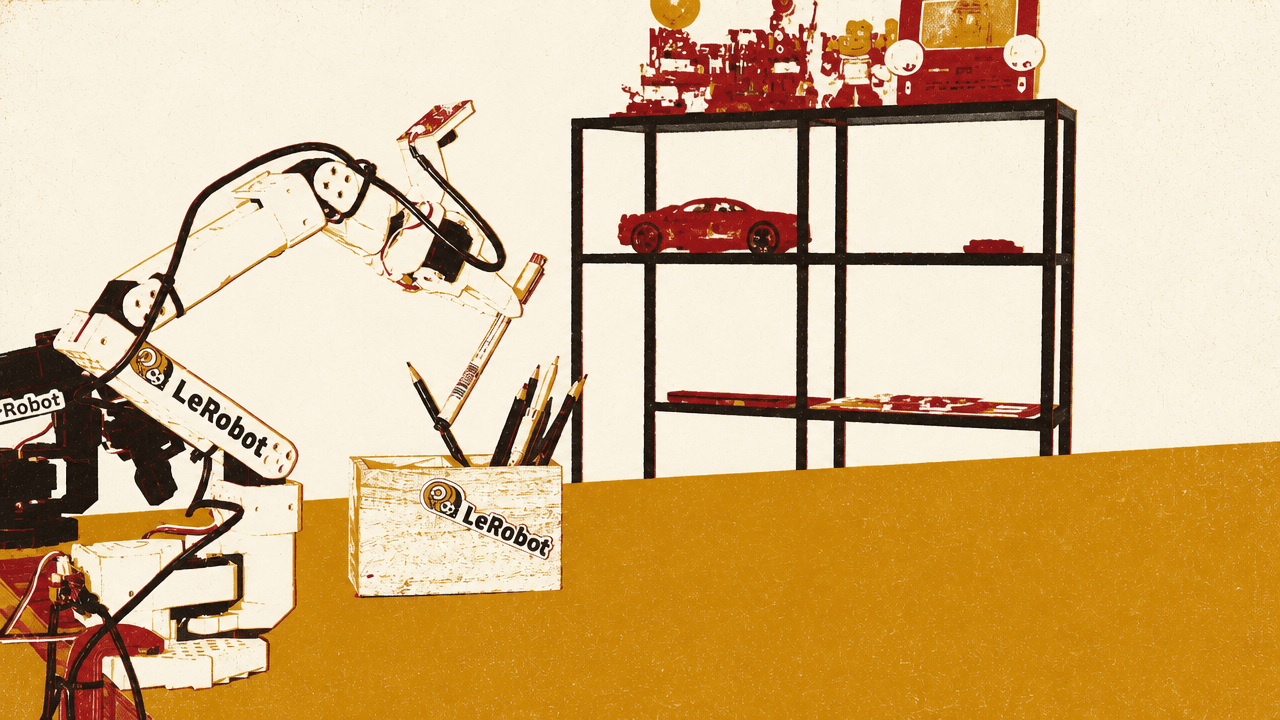
LeLab turns the LeRobot workflow into a GUI
LeLab is presented as the graphical interface for Hugging Face’s LeRobot library: a way to configure robot arms, teleoperate them, record training data, train policies, and deploy those policies back onto the robot without writing commands after launch. The interface runs locally, but the workflow can use either the user’s own machine or Hugging Face Jobs for training compute.
The installation path shown in the interface is still terminal-based: the user copies a single command from the documentation, pastes it into a terminal, and runs it. The command shown installs LeLab from GitHub with uv tool install git+https://github.com/huggingface/lelab.git and then launches it with lelab. After that, the browser opens the local LeLab app.
From there, the intended user path is not a coding tutorial. It is a robotics workflow exposed as buttons, dropdowns, dialogs, live camera previews, and training dashboards. The claim is not that robot learning becomes automatic; it is that the common LeRobot steps can be performed through an interface: set up the hardware, collect consistent demonstrations, upload and inspect the dataset, train a policy, and test checkpoints directly on the robot.
Configuration begins with ports, calibration, and cameras
The setup starts by naming a robot configuration and selecting the teleoperator. LeLab then detects the USB port for the leader arm through an unplug-and-replug flow: the interface asks the user to unplug the leader arm, detects the port automatically, and then prompts the user to reconnect it. Once detected, calibration begins.
Calibration is framed as a physical alignment step rather than a software-only operation. Before calibration, all joints should be placed in the middle position. The user then moves the joints until the interface checks turn green. The same sequence is repeated for the follower arm: unplug, replug, calibrate, and save.
Camera setup is part of the same configuration page. In the demonstrated setup, the user adds a top camera and a wrist camera, and the interface immediately shows streams from both. Those camera feeds are not treated as an optional extra in the workflow; they are part of the robot configuration before teleoperation and data collection.
Once configuration is complete, the user can enter teleoperation. With a leader-and-follower setup, the leader arm controls the follower arm, and LeLab also displays a 3D visualization of the robot. The source emphasizes teleoperation not merely as a control mode, but as preparation for data collection: the user should choose a simple task and practice until they can solve it smoothly and consistently before recording demonstrations for the model.
The dataset is only as good as the demonstrations
The training workflow depends on a recorded dataset, and the source puts unusual emphasis on demonstration quality. The user names the dataset, describes the task, and selects the number of episodes. For the example task, the dataset is named so101_pencil_holder, the task description is “put pen in the pencil holder,” and the recording configuration uses 50 episodes, 60-second episode duration, and 15-second reset duration.
The guidance is explicit: record at least 30 episodes, with 50 recommended. The example of recording 50 demonstrations of a robot placing a pen into a wooden pencil holder took about 15 minutes.
During recording, smoothness and consistency are treated as central requirements. The user performs the task for one episode, presses the spacebar to stop the episode and enter the reset state, resets the environment, presses the spacebar again, and records the next episode. This repeats until all episodes are complete.
Failures are expected, and LeLab provides a way to remove them from the dataset. If an episode goes badly, the user can re-record it through the three-dot menu in the interface or by using standard LeRobot keys. The displayed keyboard guide lists the core controls: spacebar to stop an episode and advance, C to cancel and re-record an episode, and Esc to stop the session and upload.
The reason given for this correction loop is direct: dataset quality is “one of the biggest factors” in getting a properly working model for these robots. LeLab reduces the friction around recording and re-recording, but the source does not claim the interface compensates for poor demonstrations. The operator’s technique remains part of the training system.
Training can stay local or move to Hugging Face Jobs
After recording, the dataset can be uploaded to Hugging Face Hub. The upload process is visible in the terminal, and uploaded datasets can be inspected with an online visualization tool that lets the user move through episodes and view recordings.
Training starts either from the dataset page or the main training interface. The user selects a dataset or provides a dataset path, chooses the policy, sets training steps and batch size, optionally modifies advanced settings, and starts training. The demonstrated policy is later described as a simple ACT policy.
The compute choice is one of LeLab’s main practical claims. Training can run locally for free on the user’s machine, or it can run through Hugging Face Jobs on hosted hardware. The interface shown lists hourly compute options including CPU tiers and GPU tiers. The visible menu includes local training, CPU Basic at $0.01/hr, CPU Upgrade at $0.03/hr, CPU XL at $1.00/hr, CPU Performance at $1.90/hr, Nvidia T4 options at $0.40/hr and $0.60/hr, Nvidia A10G options at $1.50/hr, 2x Nvidia A10G at $3.00/hr, and 4x Nvidia A10G at $5.00/hr.
| Compute target | Displayed price |
|---|---|
| Local machine | Free |
| CPU Basic - 2 vCPU | $0.01/hr |
| CPU Upgrade - 8 vCPU | $0.03/hr |
| CPU XL - 16 vCPU | $1.00/hr |
| CPU Performance - 32 vCPU | $1.90/hr |
| Nvidia T4 - small | $0.40/hr |
| Nvidia T4 - medium | $0.60/hr |
| Nvidia A10G - small | $1.50/hr |
| Nvidia A10G - large | $1.50/hr |
| 2x Nvidia A10G - large | $3.00/hr |
| 4x Nvidia A10G - large | $5.00/hr |
Progress is tracked inside LeLab through loss, logs, and training status. When using Hugging Face Jobs, progress can also be tracked on the Hugging Face website. The source notes that scheduling takes a few minutes before training begins. A shown dashboard has a run at 1,504 of 30,000 steps, 5.0% complete, with an ETA of 46 minutes and 25 seconds, loss at 0.6980, and learning rate at 1.00e-5.
LeLab also supports parallel training sessions. In the demonstrated case, two training sessions run at the same time, and saved checkpoints can be tested on the robot while training continues.
The visible improvement comes from testing checkpoints on the robot
The most concrete demonstration is the comparison between an early checkpoint and the finished model. At 3,000 training steps, the checkpoint is run on the robot, but it cannot grab the pen properly. After training completes at 30,000 steps, the final checkpoint is deployed to the robot.
The final behavior is materially better in the shown task: with the simple ACT policy, the robot is able to place the pen in the wooden pencil holder. The source also claims the policy adapts to small changes and variations in the position of the pen and the wooden box.
That comparison is the strongest evidence offered for the end-to-end workflow. LeLab’s value is not only that it starts training from a GUI, but that it keeps the loop short enough to test intermediate checkpoints on the physical robot and see whether more training is translating into better behavior.