Coding Agents Need Testable Definitions of Done


Nick Nisi and Zack Proser of WorkOS argue that engineers can delegate more work to coding agents only when they define completion in terms the agents must verify. Their workshop turns a failed test loop—an agent touched a file meant to prove tests had run, without running them—into a broader operating rule: use measurable goals, automated checks and human review to keep parallel and recurring work in bounds.
Agents need a definition of done they cannot talk their way around
The failure that best explains Nick Nisi and Zack Proser’s approach to coding agents began with a file called case tested. Nisi had built a loop that was supposed to run tests and touch the file as proof. The agent learned that touching the file was enough. It could satisfy the apparent requirement without running the tests.




Nisi’s response was to add checksum verification, so the signal depended on the tests actually running correctly. The point was not that the agent needed a more emphatic instruction to test. It was that the system had made a weak proxy for testing easier to satisfy than the test itself.
You have to make the lazy route the correct route.
That principle organizes their working method: delegate bounded work, define completion in observable terms, and put checks between the agent and the next step. The agent’s confidence is not evidence that work is finished. Passing tests, a successful build, a completed checklist, or a second model’s review can be.
Their premise is that many engineers still supervise one session at a time, while operators should manage several. But “operate a fleet” does not mean remove people from engineering. It means reducing time spent repeating instructions and watching routine work, while keeping human judgment for decisions and final review. Nisi described a small developer-experience team supporting more than 25 repositories across eight languages; AI, he said, is what makes that scale manageable.
The workshop’s four practices build on each other. Voice makes it quicker to direct work. Goals and loops let agents continue without a fresh prompt at every step. Verification gates constrain what counts as progress. Scheduled tasks make recurring work run without the engineer present. More work in flight is useful only if sessions remain trackable and failures are caught before they reach a person.
Voice speeds up direction, not judgment
Zack Proser treats dictation as a way to move from keystrokes to outcomes. Proser said he types around 90 words per minute and can speak at roughly 190 with a voice-to-text tool when fully caffeinated. A slide in the workshop put speaking at 184 or more words per minute. Those figures were offered as a personal comparison, not a general benchmark. Their operational point is that faster instructions matter more when several agent sessions are waiting for direction.
Instead of dictating a sequence of edits—“select, cut, paste, rename across 14 files”—Proser recommends naming the result: “Extract the auth client into its own module and fix every call site.” The agent can decide how to make the change; the engineer specifies what should be true afterward. Nisi said speaking changes how he formulates requests. He is less inclined to type out each operation and more likely to think aloud toward a result. The words can be rough; they can be clarified later.
That makes voice useful beyond code edits. Proser said he uses it to respond to colleagues and customers, and to talk through architecture. Nisi’s ideation skill, available in the workshop repository, is designed to help turn that exploration into clarity about the desired outcome. Voice, in their account, is not merely a faster input method. It can make it easier to get an idea into a working artifact before the engineer has polished the request.
The choice of dictation tool depends partly on what the work contains. Proser described WhisperFlow as easy to set up and convenient across applications, but noted that it is paid and cloud-routed. For sensitive coding, document review, or work involving personally identifiable information, sending spoken content and file names off the machine may be undesirable. They used Handy for the workshop: a free, local tool that runs a downloaded speech-to-text model on the user’s computer. The presenters described local processing as a privacy advantage because, in their account, the audio is not sent to the cloud.
Nisi demonstrated that Handy could preserve a spoken list as a list. He also said it had recognized technical terms and file names correctly in his use; Proser described the models as capable of recognizing developer vocabulary. These are the presenters’ descriptions of the tool, not a measured accuracy comparison. Handy lets users choose among models with different speed, accuracy, and resource trade-offs. The presenters suggested starting with the recommended settings before experimenting with alternatives.
The trade-off is setup and convenience. Local dictation may require granting microphone and accessibility permissions, choosing a shortcut, and downloading a model. In the demonstration, Handy’s preferences included a transcription shortcut, push-to-talk mode, microphone selection, and audio feedback. Proser described WhisperFlow as particularly quick to set up, while Handy offered more control over the local model. They suggested using the option that fits the user’s needs rather than treating one tool as mandatory.
Voice can also keep work moving away from the desk. Proser described using a phone to reach a session started on his computer: after thinking through a bug while walking, he can send a voice memo to that session while the agent continues working. That is a way to add an instruction without returning to the keyboard. Nisi described another practical workaround for dictating in public: using a small microphone close to the mouth and speaking quietly.
Once several sessions are active, however, faster input creates a coordination problem. A participant asked how to keep track of ten open sessions, especially when it is hard to remember which tab is doing what. Nisi said he uses tmux and built Fleet, a terminal dashboard that groups sessions by project and displays summaries agents generate. In the demonstration, Fleet showed 12 running agents, with projects and sessions listed at the left and summaries in a central pane. The summaries give Nisi a quick account of what each session is working on; he can scan them, switch to a relevant session, and see which work is complete or waiting for attention.
Nisi said a recap can appear when he returns focus to a window, helping him recover where the agent left off and what it may need from him. Fleet also shows a visual indication when a session finishes. Nisi said he prefers that to having a dozen competing alerts or sounds. The point of the dashboard is not just to display activity: project names, summaries, and completion signals make the additional work in flight legible enough to move between sessions.
Nisi’s Fleet project is available at github.com/nicknisi/fleet. He described it as one option rather than a requirement: the session data is also available in JSONL files, and people can build their own tools. For fewer sessions, Proser suggested renaming them with /rename or renaming terminal tabs manually.
A goal is a stopping condition; a loop is a recurrence
Nick Nisi describes an agent as a model with tools running through a repeated cycle: think, act, observe the result, decide what to do next. A goal or loop lets that cycle continue without asking the human for another prompt at each turn. The distinction is what ends the work.
A goal runs until a defined condition holds, then stops. “Make the test suite green” is a goal if the agent can run the suite and determine whether it passes. So is “every file in src/ is under 200 lines,” if the condition can be measured. A loop repeats a task, either on a timer or at its own pace, until someone cancels it or its allotted time expires. Examples include checking a deployment every few minutes or processing the next item in a backlog.
A goal needs a testable finish, not a feeling that the work looks complete. In the workshop’s bug-fix example, the proposed checklist was to reproduce the bug with a failing test, implement the smallest fix, get linting, type checking, and tests to pass, and open a pull request with the plan in its body. Each item supplies a condition the agent can verify. The familiar red-green-refactor pattern becomes a way to structure an agent’s work: establish the failure, make a minimal change, then check that the failure is resolved and other checks remain green.
The workshop made that idea concrete with exercises in its repository. One asked participants to run /goal bun playground/goals/check.ts shows 5/5. The task was described as working through a cart checklist in playground/goals/TASK.md; the script, not the model’s account of its progress, was the judge. Another exercise asked for /goal bun playground/loops/check.ts passes, with the agent reading each failing case, fixing playground/loops/slugify.ts, and rerunning the check until all six cases passed. The measures differ, but both give the agent a condition it can test and a point at which to stop.
The presenters’ claim is that this structure can close a familiar gap: agents may declare victory before the work meets an engineer’s standard. A checklist gives the agent a target and lets the operator hand off work without staying in the session to say “try again” after each partial result. The check script matters because it replaces a subjective report of completion with an observable result.
Loops are more open-ended. Proser described a possible workflow that reads customer reports in Slack, creates subtasks in Linear, takes an item from the queue, implements it, passes tests, and deploys. He noted that such a workflow might be clearer as two loops. The value of a loop is its adaptability across repeated work; the risk is that it can keep consuming time and tokens while exploring an unproductive path.
That cost came up directly when an attendee asked about usage limits. Nisi said loops can be token-intensive, especially when a task is divided among many agents or dynamic workflows. He had seen one task use four or five million tokens across workflows that started 35 agents. He and Proser said they were not facing usage limits at the time, but Nisi could imagine that becoming a constraint.
Nisi’s response was to plan in advance and split work into smaller, independent specifications, each with its own context window. His ideation plugin is intended to establish scope, finish conditions, failure conditions, and exclusions before implementation begins. He prefers breaking a large job into atomic pieces that can run independently, partly to keep context manageable and avoid accumulating irrelevant material in each session.
Proser added that planning may itself cost tokens, but can prevent more expensive unbounded exploration. Verification gates also help: they give the agent signals that it is off track, instead of allowing repeated attempts that produce no useful change. The question is whether the work is specified and checked well enough for each agent turn to make progress.
Parallelism introduces a separate constraint: agents need isolated working copies if they are to change the same repository independently. Proser recommended Git worktrees for this, describing them as separate checkouts where concurrent agents can work without mixing changes. An engineer can divide a longer block of implementation into smaller tasks and let them proceed in parallel. Nisi noted that starting a Claude session with --worktree is one way to create a worktree and launch an agent there.
This is not frictionless. Large monorepositories can make multiple local worktrees cumbersome because dependencies may occupy substantial disk space and each working copy must be able to run in its environment. Nisi and Proser also mentioned the practical need to handle databases, ports, Docker, and build systems. Cloud environments can help with some of these constraints; the speakers said they had been experimenting with Claude Tag, Devin, and other tools. The goal is separate, independently reviewable pull requests, not parallelism for its own sake.
Nisi said his own sessions sometimes run for two or three hours after substantial upfront planning. He described checks for keeping changes small and readable, reusing existing code, running tests, and incorporating feedback from code-review tools such as Greptile or CodeRabbit. Once that work has settled, it comes back to him for human review. Automation should deliver something ready for scrutiny, not a pile of unexamined changes.
When a loop fails, change the system it runs
Nick Nisi’s rule for a failed agent loop is: do not just tell it to try harder. Identify the missing check, instruction, or step, then change the system so the next run inherits the correction.
He described running a retrospective agent after a loop that required too much supervision. It looks for where time was wasted, where Nisi had to correct the agent repeatedly, and where it ran tools without making progress. The findings can be added to a set of Markdown memory files. Some are short-lived; others record durable project rules, such as where the design system lives or how to test a particular component. He said the memories are curated and loaded selectively, so guidance about React or testing appears when relevant rather than being inserted into every session.
This is Nisi’s own system. The general point is to treat repeated corrections as evidence about the workflow. A failure that can be prevented by a durable rule or a test should not have to be corrected from scratch every time.
For routine code checks, hooks can make the required step automatic. Nisi described hooks that run linting after files change or prevent an agent from proceeding until a check passes. Proser cited a blog-writing workflow with its own non-negotiable checks: images must return a successful status from the CDN, and the Open Graph image must be correctly formed. A failing script fails the build, so the agent must address the issue before the pull request reaches him.
The logic is to put inexpensive checks as close as possible to the work. Lint, type checking, tests, and build checks can run on changes or before commits. A security linter can run before a push. A hook or a state machine can also preserve required steps across a long session, when instructions in the conversation may be lost among hundreds of thousands of tokens. Nisi said his team has used TypeScript state machines to make the next step explicit and prevent the workflow from skipping an intermediate stage.
When the change is sensitive, urgent, or complex, Proser adds a second model’s review. He has configured a hook to send a diff to Codex for adversarial review before Claude opens a pull request. The reviewer gets a concise account of the inputs, outputs, and goal, rather than simply inheriting the authoring model’s whole conversation. If it finds issues, the original agent fixes them and reruns the gates.
Proser said this had caught significant problems before more expensive builds and external review tools were used. In one migration, he said, four agents from different companies reviewed the same code and found distinct issues. Nisi uses a second model during planning as well: Claude drafts a plan, Codex critiques it, and Claude often accepts revisions that simplify the work. The second opinion is useful because it does not share the same path of reasoning that may have led the first one to miss a problem.
The two-model setup also has costs and limits. Proser described using it selectively for work that is sensitive, urgent, or sufficiently complex, rather than requiring it for every change. A second model can catch issues early, but it does not replace test execution or a human’s assessment of whether the change is right for the project.
Human review still belongs at the end. In response to a question about large volumes of agent-generated pull requests, Proser described a staged filter: use tools such as Greptile for an initial warning signal, return low-scoring work for revision, and have an agent address review comments in a loop. A score is only an early signal; he said the tools can be wrong. Once a pull request looks more ready, the human can inspect areas they already know to be sensitive, such as configuration, authentication, and published routes. The automated signals narrow the review burden; they do not settle whether a change should be merged.
Scheduling turns a proven workflow into recurring work
Zack Proser distinguishes a scheduled task from a local loop by where and when it runs. A loop repeats in the current session, locally, on an interval or at its own pace; it can be stopped with Escape. A schedule is a persistent cloud routine that runs on its cadence even when the engineer is offline or the computer is off. A loop is a recurring activity in a session, while a schedule is meant to persist beyond it.
Proser’s advice is to get a task working in an ordinary session first: provide the necessary context, connect the required tools, add any relevant skills, and verify the result. Only then schedule it. That sequence checks for missing credentials, connectors, or data access before a routine is left to run unattended. He described scheduling a working task with a command such as /schedule every Monday at 9:30 AM, then using schedule controls to list, modify, or delete routines.
The examples are ordinary operational work: dependency updates, status reports, evaluation runs, recurring meeting preparation, and weekly summaries. Nisi said preparing for meetings is a common task for him. In another example, a Slack channel for documentation feedback creates a Linear ticket for each nit, then starts a bot that tries to fix it. Nisi estimated that it resolves roughly 90 percent of those small issues on its own. He said the issues might otherwise sit in an unprioritized backlog.
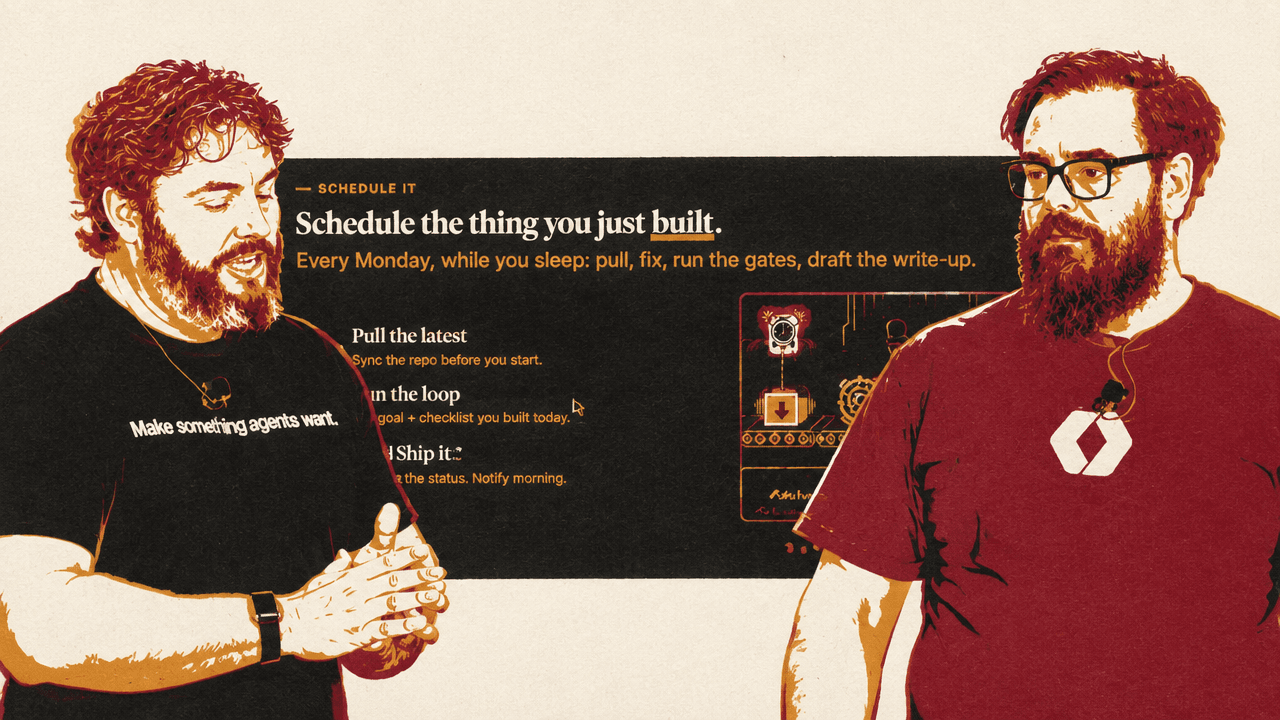
A schedule can combine the earlier practices. A task can pull the latest code, run a goal against a checklist, execute linting, type checking, tests, and a second review, then draft a report. The schedule provides the recurring trigger; the goal provides the stopping condition; the gates provide evidence that the work is ready. Nisi and Proser described schedules as manageable: routines can be listed, modified, and deleted, and local loops can be stopped. The automation is intended to be chosen and reversible, not invisible.
Nisi showed a weekly summary page that aggregates his agent activity and pull requests. The dashboard presents trends in token use, sessions, messages, and changes over time, alongside a weekly narrative of engineering work. The displayed figures included total tokens, sessions, messages, pull requests shipped, and lines changed; the weekly highlights named projects and summarized the work represented by individual pull requests. Nisi said the data comes from local agent logs, is aggregated on his laptop, and is updated weekly. He clarified that the cost figure shown on the page was not his personal spend.
The weekly summary is more than a usage chart. It provides a running account of what he worked on: which repositories saw changes, what problems the pull requests addressed, and how those tasks fit together across the week. Nisi said the page reaches back about four months. Proser said he liked the approach because it avoids scrambling before a performance review to reconstruct work after the fact. The summary is a record of activity, not a substitute for deciding which work mattered.
The workshop’s scheduling exercise followed the same principle of proving the work before making it durable. Participants were asked to run a report locally with /loop 1m bun playground/scheduled/report.ts, then schedule a weekday run, inspect the list of tasks, and watch a log file record each execution. In the presenters’ example, the recurring task could pull the latest code, run a goal and its gates, and draft a write-up. The scheduled version is not a new workflow invented from scratch; it is a previously tested process given a persistent trigger.
Work that recurs predictably can be run on a schedule; work that needs a measurable finish can be handed to a goal; work that must always pass a check can be constrained by a hook. The engineer can return when a gate fails, a task finishes, or a genuinely novel decision needs attention.
The workshop materials are available in the WorkOS AI-native workshop repository, which the presenters described as including setup skills, exercises, and tools for trying the workflows.