Human Attention Is Becoming the Bottleneck in AI Coding Workflows

Zack Proser, an Applied AI engineer at WorkOS, argues that AI coding has shifted the bottleneck from tool speed to human attention. His proposed workflow uses voice dispatch, isolated git worktrees, Slack and Linear-reading agents, remote phone control, and layered verification so developers can keep agent loops moving without staying pinned to a desk or rubber-stamping work they can no longer track.
The bottleneck has moved to human attention
Zack Proser frames the current AI-coding problem as a balance problem, not primarily as a tool-capability problem. On the Applied AI team at WorkOS, he says he is already seeing agents execute quickly enough, when given context, tools, and verification criteria, that the limiting factor becomes the developer sitting above them: finite attention, degraded judgment under load, and the physical cost of staying at a desk while managing too many parallel loops.


At WorkOS, Proser built a Slack bot that lets colleagues request a standardized blog draft from a Slack channel and receive one in roughly 90 seconds. A colleague reported a bug: the sentence-case pass was mangling acronyms such as SCIM and SSO. Ordinarily, Proser said, that would have meant entering the “window hell” of Slack, editor, terminal, tickets, and follow-up verification. Instead, he gave Claude Code read/write access to Slack through MCP, alongside the Linear access it already had, and instructed it to fix the issue and verify its own work before stopping.
Claude Code changed the sentence-case enforcer, posted into the relevant blog-post channel, let the bot run through the workflow, checked the result, and returned with the claim that it had definitively fixed the bug. Proser’s reaction was split: the completed loop “felt incredible,” but it also scared him because it exposed the absence of a natural ceiling. If one such loop can be closed with little direct intervention, the temptation is to stack many more.
The tools are nuclear now, and our nervous system is still relatively ancient.
That tension is the core of his argument. Agents can run tireless loops, avoid human context-switching costs, and verify against explicit criteria. Human attention does not scale that way. It is fixed, finite, and degrades under load. Proser cited Simon Willison’s line from a recent appearance on Lenny’s Podcast: “I fire up 4 parallel agents and I’m wiped out by 11 AM. Finding our new limits is a personal skill we need to learn.” Proser said he sees the same pattern in his own work.
The trap is not that agents cannot produce enough. It is that developers may end up rubber-stamping outputs they can no longer track. Proser illustrated the progression as a practical failure mode: two loops are easy; three or four are still manageable; five or six start raising the question of which agent needs attention; eight outputs lead to rubber-stamping PRs; twelve loops become approving without reading. For Proser, that is not a productivity win. It is the failure mode.
Developer balance means assigning speed to agents and judgment to people
For Zack Proser, “developer balance” is a practical division of labor. Agents should be used for speed, tireless execution, pattern detection, and looping until specified criteria are met. Humans should preserve judgment, taste, the ability to decide whether a task is actually solved, and the ability to know when to stop.
He is explicit that simply scaling output linearly with tool speed is dangerous. If every recovered minute is filled with another task, the result is faster burnout. His preferred posture is not to reject AI coding, but to design workflows that let the agentic system absorb more of the execution and context gathering while the developer retains the higher-value decisions.
The stack he proposes has four parts: signal layers, voice-first flows, remote control, and a system that improves itself from the developer’s own work history. These are not presented as a polished product architecture so much as an operating model for keeping a developer from becoming the constraint that collapses the whole system.
The through-line is confidence away from the desk. Proser repeatedly ties speed to verification: a developer can only walk away if agents can prove their own work. Without that, parallel execution merely creates a larger review burden. With it, the developer can spend less time locked into IDE focus mode while still redirecting, reviewing, and shipping.
Signal layers keep the developer out of the noisiest systems
Slack, in Zack Proser’s account, is a high-probability distraction surface. If he manually combs through Slack, he estimates there is an “80% guaranteed” chance he will be pulled into another thread, ask, or tangent. The purpose of a signal layer is to keep him from opening that system at all unless there is a meaningful delta.
In his setup, Proser gives Claude Code the ability to read Slack on a loop, look for @mentions, DMs, and high-priority asks, and compare those against Linear through MCP. That lets it deduplicate requests, identify real tickets, and surface only the items that need action. His presented slide described “two MCP connectors,” “You never opened Slack,” “You never opened Linear,” and a claimed “90% reduction in perceived context-switching cost.”
The point is not that Slack or Linear disappear. They become inputs to a preferred “pane of glass” where the developer can continue focusing. Proser’s broader claim is that AI-coding workflows increase the surrounding traffic: more agent outputs, more generated PRs, more pings, more opportunities for small interruptions to fragment the day. Signal layers are his answer to the noisiest input channels.
For someone adopting the approach, he suggests starting with one such layer: automate the highest-cost context switch, whether that is Slack, email, Linear, or another system, and only see what changed that matters.
Voice turns agent dispatch into a parallel workflow
Zack Proser says he has been coding voice-first for about a year and a half, and describes it as “life-changing.” He loved typing and says he once reached about 90 words per minute with a nonstandard style. His slide compares 90 WPM typing with 179 WPM voice input; in his spoken remarks, he says he regularly hits about 184 words per minute on a given day.
His voice pipeline is voice capture, speech recognition, AI enhancement, and polished output. A raw transcription containing filler words — “um,” “like,” “uh” — becomes a clean instruction such as: “Refactor the auth module: the current implementation uses deprecated methods. Add improved error handling.” The claim is not merely that dictation is faster than typing. It is that AI cleanup makes spoken intent usable without a manual editing pass.
That speed changes the shape of work when paired with agents. Proser asks the audience to imagine speaking instructions into three different coding agents or windows — Cursor, Codeium, Claude Code, multiple tabs — and having them begin running while a keyboard-only developer is still typing the first prompt. His slide illustrated three voice-dispatched agents completing an auth refactor, dashboard API endpoints, and a test-suite migration while a keyboard-only developer remains 26% through the first typed task. The comparison functions as an illustration of his workflow, not as a benchmark study.
The compounding claim is important. Small speed gains in dispatch can become significant over a year or two of software work, especially when the dispatched work is not a single prompt but multiple parallel tracks. More importantly for Proser’s balance argument, voice is what makes it practical to spend less time at the desk: instructions can be sent while walking, standing, or using a phone.
Remote control makes walking away compatible with staying in the loop
Remote control matters because Zack Proser connects it to the familiar “shower principle”: focused work can narrow attention and produce blind spots, while walking away can let diffuse thinking surface a solution. Developers have long relied on that effect, but historically walking away from the desk meant stopping work. In his view, remote-controlled agents change that.
In the Claude Code example, a developer starts a session on the dev machine with remote control enabled. The agent still has access to the local filesystem and development environment. The developer can then open Claude on a phone, even on a different network and away from home, and continue seeing and messaging that same session. The remote interaction is not with a separate mobile-only model; it is with the active coding session running on the machine.
Proser proposes a day built around that separation. The developer begins with a focused block at the desk, roughly 7:00 to 9:30, to architect, plan, define intent, and kick off agents with verification gates. At dispatch time, the developer launches two or three worktree agents, often by voice, and leaves the desk. On a trail, in a park, or in a neighborhood walk, agents continue running while the developer thinks in diffuse mode, checks the signal layer, and reviews or redirects from a phone. Later, from a coffee shop, standing desk, or wherever else, the developer can dictate follow-up tasks or redirect agents when an insight appears.
| Mode | Purpose |
|---|---|
| Focused block | Architect, plan, define intent, and start agents with verification gates |
| Dispatch | Launch two or three worktree agents, voice-dispatch tasks, and leave the desk |
| Away from desk | Walk, think, check the signal layer, review from phone, and redirect agents when needed |
| Return | Use a second focused block for work that still needs higher-attention review |
He says he has experimented heavily with this mode, including filming a 32-minute demonstration the previous year to show that PRs can be reviewed from a phone in the woods. He also ties the practice to physical health: less time sitting in the same position, less wrist and hand strain, more sunlight and oxygen, and a better chance of having the ideas that come when away from the desk.
The same loop extends into mobile PR work in Proser’s framing. He says that with the models and tools he is using, it is now reasonable to leave natural-language comments in GitHub Mobile tagging tools such as @claude, @cursor-agent, or @vercel-bot and asking for changes. “Most of the time,” he said, the agent will get it right.
Verification is what makes untethered work safe enough to use
“You can only walk away when agents can prove their own work” is Zack Proser’s constraint on the whole system. Speed requires safety, and without safety the developer simply accumulates untrusted output.
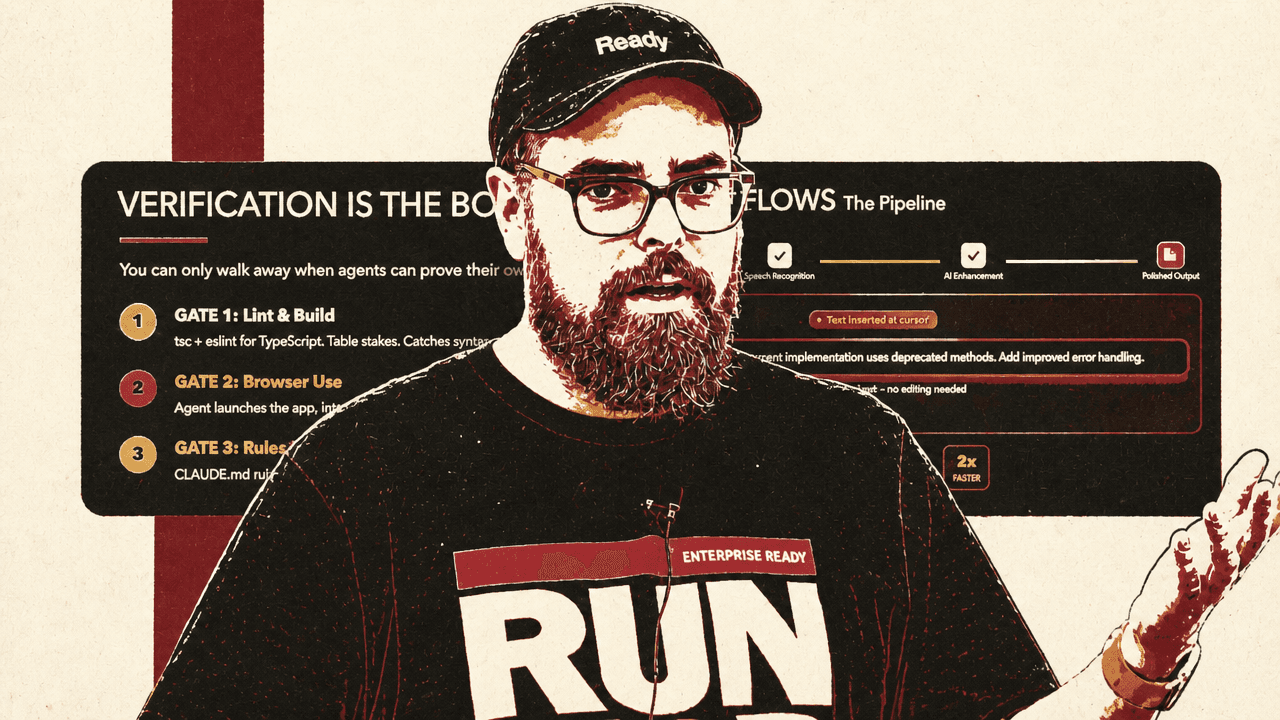
He describes three levels of verification gates. Gate 1 is lint, build, and unit tests: table-stakes checks such as tsc and ESLint for TypeScript, catching syntax errors, type mismatches, import issues, and basic breakage. These should run automatically through hooks so the agent verifies code-level correctness every time.
Gate 2 is browser use. The agent launches the application, interacts with it, takes screenshots, and checks that the user-facing flow still works. Proser’s example is login: the agent should click through and ensure it has not broken the flow, rather than merely claiming the code compiles.
Gate 3 is rules and review: CLAUDE.md instructions, custom linting, UI review checklists, and critic-style passes. Proser compares this loosely to Constitutional AI as Anthropic conceives of it: a constitution of requirements, with another agent checking whether the work satisfies them and returning feedback if not.
| Gate | What it checks | Why it matters |
|---|---|---|
| Gate 1: Lint & build | Type checks, linting, unit tests, imports, syntax | Catches basic code-level breakage before review |
| Gate 2: Browser use | Agent launches the app, clicks through flows, screenshots results | Adds visual and behavioral verification before the developer has to inspect everything directly |
| Gate 3: Rules & review | Project rules, UI checklists, custom standards, critic passes | Tests work against human-defined standards rather than only against compilation |
The verification ladder also answers why Proser does not simply run 150 loops. Agents may be able to attempt that, especially with enough context and criteria, but the developer cannot sit on top of all of it, ensure quality, and return the next day intact. Verification reduces that load; it does not eliminate the need for judgment.
The work history should become training material for the workflow
Developers are already producing valuable process data as they work with agents, Zack Proser argues, but most of it is discarded. Claude Code conversations are saved locally as JSONL files. Instead of closing those sessions and forgetting them, he suggests treating them as a record of where the system struggled.
His proposed “working smarter” loop is a scheduled scan at the end of the week, or even daily. An agent reads the week’s sessions and looks for repeated tasks, manual patterns, common instructions, ambiguity that required back-and-forth, or places where many “thinking tokens” were spent to get something right. The output is a set of candidate skills, automations, tools, or MCP servers that would tighten the same loop next week.
In the slide example Proser presented, a scan of eight sessions found repeated patterns: reformatting blog post images for a CDN four times, creating Linear tickets from Slack threads three times, and running a Lighthouse audit once. The recommendation was to create a skill that auto-resizes and uploads blog images to Bunny CDN when a new image is added to a blog post, with an estimated savings of about 40 minutes per week. His framing was: “You don’t decide what to automate. The system tells you.”
An audience member challenged the practicality of pointing an agent at raw JSONL files, noting that they are long, messy, and not designed for AI consumption. Proser said he has had success simply pointing Claude at them, but he also described an intermediary approach: use hooks at the end of each coding session, or when a PR is merged, to save the key bits into a cleaner store. That store could be Obsidian, a flat Markdown file for the week, or a simple archive. The selection of what to save can itself be prompted: look specifically for indications of struggle, churn, inefficiency, or future automation opportunities.
He also noted that Claude Code now has built-in ability not only to build its own skills but to evaluate and improve skills, and to turn natural-language prompts into bespoke skills. His recommendation is to tighten this loop so the developer can keep shipping while spending less time at the desk.
The body can become part of the loop, but not an excuse to overwork
Zack Proser’s most personal example was an Oura ring connected to Claude through MCP using GitHub projects that enable the integration. In his setup, Claude can see sleep and readiness data while helping plan work.
When he argues with Claude about taking on a project, he said, Claude may respond by pointing out that he did not sleep the previous night and recommending that he tackle only the first part of the work, leaving the rest for tomorrow. Proser jokes that he then tells it, “to hell with you, you’re a machine, do what I want,” and does it anyway — but at least he has been forced to consider taking a break.
The slide example was a user proposing to knock out eight remaining tickets. Claude checks Oura and sees 4 hours and 12 minutes of sleep, readiness at 41, and HRV below baseline; it recommends doing two tickets at most and pushing six to tomorrow. Proser’s point is not that an agent should control the developer’s schedule. It is that physical context can be brought into the same planning loop that is already allocating work.
Proser worries that mindless adoption makes burnout the default path — “burnout turbo,” enabled by LLMs. The default path is to stack more loops, work at 120% all the time, fill every recovered minute with more work, ignore the body, and burn out quickly. The intentional path is to design workflows that protect the developer, use speed to reclaim margin, bring the body into the loop, and sustain for years.
His suggested experiment is modest: build one signal layer, add missing verification gates, and reclaim one hour of margin. Use the speed for a walk, not for more work, at least once. See whether it is possible to ship more and move more on the same day.
Skill development still requires doing the hard parts yourself
An early-career audience member asked whether this workflow can create a skill deficit. The questioner learned programming through deep work, getting stuck, and overcoming hurdles; agentic workflows seemed useful but potentially harmful to that process.
Zack Proser answered by drawing a boundary around delegation: avoid using AI to do work you do not yet understand. The best advice he had seen, he said, was not to use AI to do something you do not already know how to do. He is comfortable shipping TypeScript systems, RAG systems, and AWS deployments with agents because he previously did those things “the hard way” for years. That experience gives him “battle scars” and “scar tissue,” so he can catch Claude when it hallucinates or suggests something unreasonable.
For someone focused on skilling up, he recommends still coding by hand, still going deep, and still learning what is painful. Once a developer has confidence in a skill — for example, after shipping many Ruby apps — it becomes more reasonable to use LLMs to ship that kind of work faster.
He also argued that AI can accelerate learning when used differently: ask the model to test you, identify where your mental model is murky, and name the concepts you do not yet know enough to ask about. In his view, being more honest about “I don’t know this” can now make learning faster, not slower.
An audience member summarized the principle as “only delegate code you’re qualified to review at work.” Proser agreed, with the caveat that this was especially his recommendation when the priority is building a solid foundation.
Bigger tasks need isolation and stronger harnesses
A practical boundary is task size. An audience member said similar workflows work well for small bugs and UI fixes, where many things can run in parallel, but larger features touching the backend, database, frontend, and application behavior seem to require concentrated focus and resist parallelization.
Zack Proser said he thinks everyone is struggling with that boundary. His first answer is git worktrees, so agents can operate in true parallel without stepping on each other’s changes. His second is agent teams with clearly defined prompts. His third is stronger verification: unit tests, continuous integration, constant application testing, and building against a spec.
For large, cross-stack work, Proser’s view is that the harness matters more, not less. The developer may still need to react strongly when the system misses the intent and feed corrections back into the process while the agents continue iterating. He expects this to evolve as models improve and as more complete harnesses emerge to make larger tasks more reliable.
He also described experiments that extend the same operating model rather than changing its premise: using cron jobs as a “night shift” for agents, reviewing the results in the morning, and merging only a small percentage; structuring work through Linear tickets and subtasks; marking some tickets “agent ready”; and eventually running a loop at regular intervals through day and night. These ideas remain bounded by the same constraint as the rest of the talk: more agent activity is useful only where the developer has enough structure, verification, and review capacity to trust the loop.